Download Here
This is default featured slide 1 title
Go to Blogger edit html and find these sentences.Now replace these sentences with your own descriptions.This theme is Bloggerized by Lasantha Bandara - Premiumbloggertemplates.com.
This is default featured slide 2 title
Go to Blogger edit html and find these sentences.Now replace these sentences with your own descriptions.This theme is Bloggerized by Lasantha Bandara - Premiumbloggertemplates.com.
This is default featured slide 3 title
Go to Blogger edit html and find these sentences.Now replace these sentences with your own descriptions.This theme is Bloggerized by Lasantha Bandara - Premiumbloggertemplates.com.
This is default featured slide 4 title
Go to Blogger edit html and find these sentences.Now replace these sentences with your own descriptions.This theme is Bloggerized by Lasantha Bandara - Premiumbloggertemplates.com.
This is default featured slide 5 title
Go to Blogger edit html and find these sentences.Now replace these sentences with your own descriptions.This theme is Bloggerized by Lasantha Bandara - Premiumbloggertemplates.com.
မိမိဖုန္းကိုသြက္လက္ျမန္ဆန္မႈကုိေပးမယ္-Smart RAM Booster Pro v4.8 build 765 apk
Download Here
ဖုန္းေလးေနတဲ့ေဘာ္ဒါေတြအတြက္ - RAM Manager Pro v7.1.8 Apk

ဖုန္းေလးေနတဲ့ေဘာ္ဒါေတြအတြက္ - RAM Manager Pro v7.1.8 Apk ေလးကေတာ့ ေဆာင္ထားသင့္တဲ့
ေဆာ့၀ဲေကာင္းေလးပါ ဖုန္းေလးေနတာ ကို memory Clean ျခင္းစတာေတြ
ကိုလုပ္ေဆာင္ေပးႏိုင္တဲ့ေဆာ့၀ဲေကာင္းေလးပါ ေအာက္မွာေဒါင္းၿပီးသံုးႏိုင္ပါတယ္
RAM Manager Pro v7.1.8 Apk | 136 KB | Resumable Links | Requires Android:2.1 and up |
RAM Manager Pro
What’s in this version :- Minor changes
App Review:
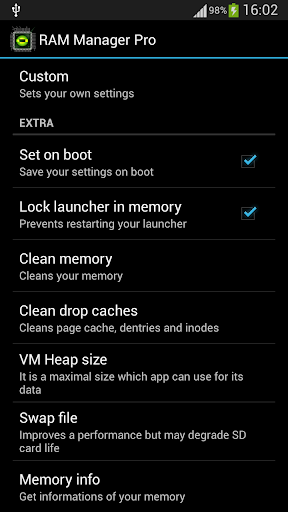
★Balance – Option which makes your RAM to the best optimization, this option is for everyday using. Use this option when you want to have fast phone without lags.
★Balance (More free memory) – This option is nearly the same as Balance, but this option should be advantageous for users who have more RAM than 512 MB. This option gives you more free memory but a bit reduces multitasking.
★Balance (More multitasking) – This option is nearly the same as Balance, but this option should be advantageous for users who have less RAM than 512 MB. This option gives you more multitasking, but a bit reduces free memory.
★Hard Gaming – Option which stabilizes your RAM for playing hardest games. Use this option for games which lag on your phone. Your games will run smooth without lags.
★Hard Gaming (Less aggressive) – This option is similar to Hard Gaming but should be better for devices with RAM lesser than 512MB.
★Hard Multitasking – Option for users which are really hard working on their phones. You can have a lot of running apps and quickly switch between them without lags.
★Default (Samsung) – Default settings by Samsung, these settings are also used by LG, HTC, etc.
★Default (Nexus S) – Default settings which are used by all Google devices.
★Default – This option reverts your RAM to your default settings, which you had before you installed this app.
★Lock launcher in memory
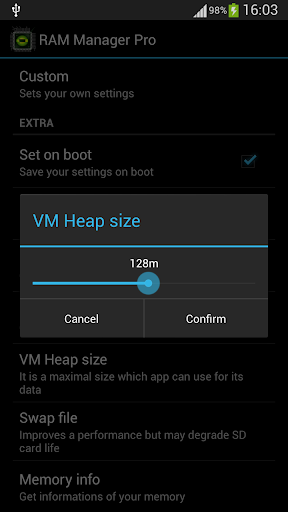
★VM Heap size
★Swap file – Improves a performance but it may degrade your SD card life
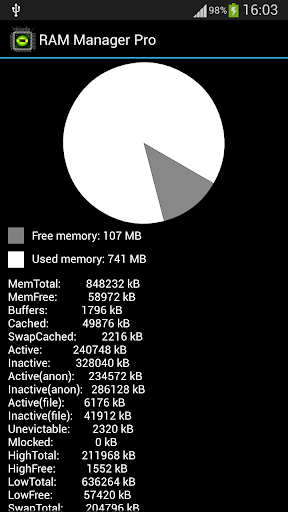
★Memory info
★Free memory meter
★Widget
★Chosen option is automatically set on each reboot
★You can easily switch between all options without rebooting
If you want be really sure that my application works, I recommend to not use any RAM scripts and tweaks.
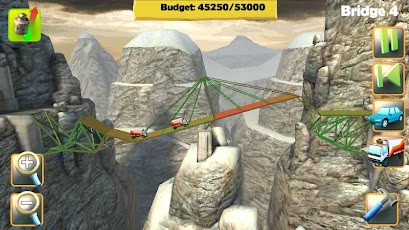
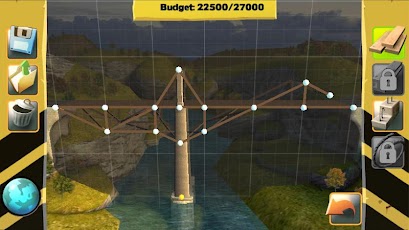
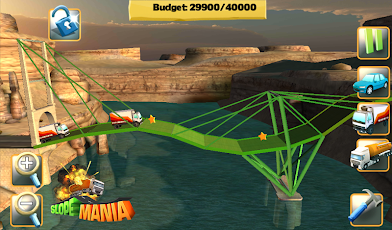
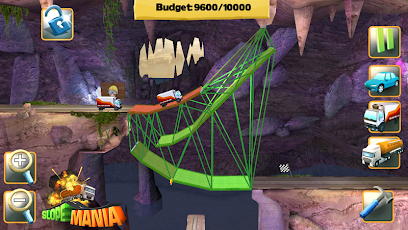
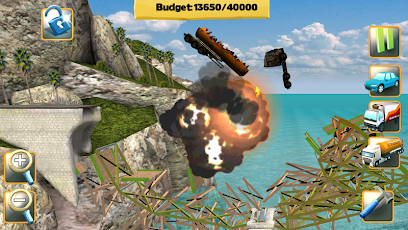
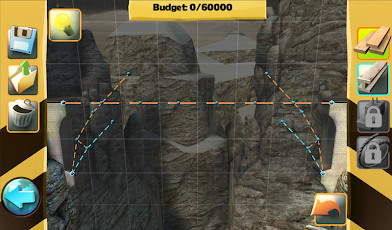
♪ တံတားေဆာက္ရမယ့္ဥာဏ္စမ္း Game ေလးတစ္ခု - Bridge Constructor v3.3 Apk ♫

** Step-3. " << SKIP AD >> ".ကိုႏွိပ္ေပးပါ။
အင္တာနက္ကို အခ်ိန္သက္မွတ္ျပီး အလိုေလွ်ာက္ပိတ္ေပးမယ့္ - AutoData
စမတ္ဖုန္း အသံုးျပဳသူမ်ား အေနနဲ႔ Mobile Data ကို မပိတ္မိဘဲ အိပ္ေပ်ာ္သြားၾကတဲ့ အျဖစ္ေတြ မၾကာခဏ ျဖစ္ေလ့ရွိပါတယ္။ အဲဒီ ျပသာနာကို ေျဖရွင္းေပးႏိုင္တာက AutoData ဆိုတဲ့ Android App ျဖစ္ပါတယ္။ AutoData က ဖုန္းရဲ႕ Screen ပိတ္သြားၿပီးေနာက္ တစ္မိနစ္၊ ႏွစ္မိနစ္ ဒါမွမဟုတ္ သင္သတ္မွတ္ထားတဲ့ အခ်ိန္ေရာက္ရင္ Mobile Data ကို အလိုလို ပိတ္ေပးမွာပါ။
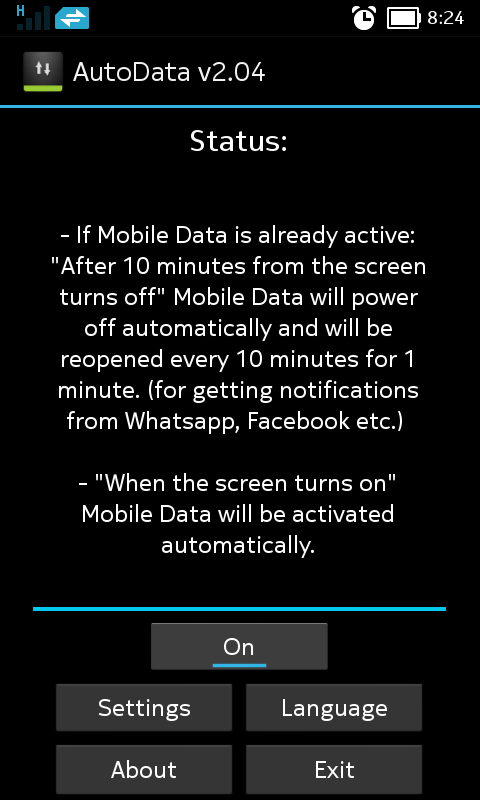
AutoData ကိုဖြင့္ၿပီးရင္ Status ေအာက္မွာ On ဆိုတာကိုေတြ႔ရမွာပါ။ ဒါက AutoData အလုပ္လုပ္ေနၿပီ ဆိုတာ ျပသတာပါ။ App က Status ေအာက္မွာ ရွင္းျပထားတာက Screen ပိတ္လိုက္ၿပီးေနာက္ ဆယ္မိနစ္ၾကာရင္ Mobile Data ကို အလိုလို ပိတ္ေပးမွာပါ။ Whatsapp, Facebook တို႔မွ Notification မ်ားကို ရရွိဖို႔ ၁၅ မိနစ္ၾကာတိုင္း ၁ မိနစ္ Mobile Data ကို ျပန္ဖြင့္မွာ ျဖစ္ပါတယ္။ အဲဒီအခ်ိန္ေတြကို Settings ထဲမွာ သင့္စိတ္ႀကိဳက္သတ္မွတ္ႏိုင္ပါတယ္။
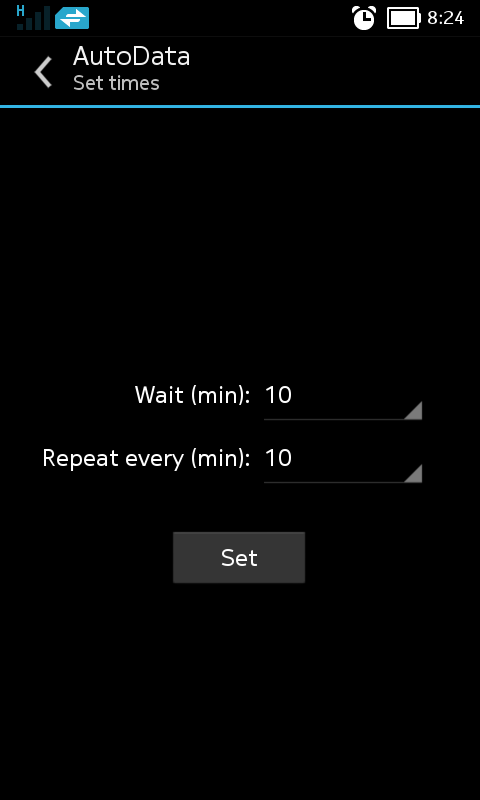
Settings ကိုႏွိ္ပ္ပါ။ Wait မွာ Screen ပိတ္ၿပီးေနာက္ အခ်ိန္ဘယ္ေလာက္ၾကာရင္ Mobile Data ကို ပိတ္မလဲ သတ္မွတ္ပါ။ Repete every မွာ အျခား Apps မ်ားမွ Notification မ်ားရရွိဖို႔ Mobile Data ကို အခ်ိန္ ဘယ္ေလာက္ၾကာတိုင္း ျပန္ဖြင့္မလဲဆိုတာ သတ္မွတ္ပါ။ ၿပီးရင္ Set ကိုႏွိပ္ၿပီး Close ကိုႏွိပ္ပါ။
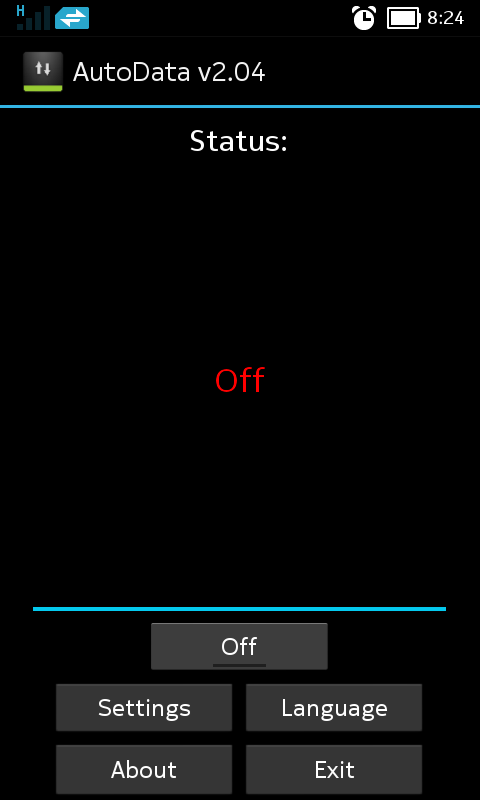
AutoData ကို အသံုးမျပဳခ်င္ရင္ App ရဲ႕ Home Screen မွာ Off လုပ္ေပးပါ။
AutoData ဟာ Mobile Data ပိတ္ဖို႔ ေမ့တတ္သူမ်ားကို ကူညီေပးႏုိင္တဲ့ App တစ္ခုျဖစ္ပါတယ္။ AutoData ကို Android 4.0 နဲ႔ သူ႔အထက္မွာ အသံုးျပဳႏိုင္ပါတယ္။
ROEHSOFT RAM Expander (SWAP)

အားလံုးပဲအဆင္ေျပပါေစဗ်ာ..............................
screenshots
DOWNLOAD NOW =>sharebeast.com / tusfiles.net
Android Application ေရးတဲ့ေဆာ့၀ဲ B4A Full Version

သူငယ္ခ်င္းေတာ္ေတာ္မ်ားမ်ား
ႀကိဳက္ႏွစ္သက္ၾကလိမ့္မယ္လို႔
ထင္ပါတယ္ ..
ဘာေၾကာင့္လဲဆိုေတာ့
ဒီေန႔ေခာတ္မွာ လူသံုးမ်ားလာတဲ့
Android Application ေတြကို
အလြယ္တကူ ဖန္တီးေရးသားႏိုင္တဲ့
ေဆာ့၀ဲေလးျဖစ္ေနလို႔ပါ
ေဆာ့၀ဲရဲ႕ နံမည္ကေတာ့ Basic4Android ပါ
B4A လို႔ လူသိမ်ားပါတယ္ ..
ဒီေဆာ့၀ဲေလးကို သံုးၿပီး Android Application ေတြကို အလြယ္တကူဖန္တီးေရးသားႏိုင္ပါတယ္
ဘယ္လိုေတြ ေရးသားရမယ္ဆိုတာကေတာ့ ကၽြန္ေတာ္ကိုယ္တိုင္လည္း ေလ့လာေနဆဲမို႔
ျပန္လည္မွ်ေ၀ႏိုင္တဲ့ အဆင့္မေရာက္ေသးတာ နားလည္ေပးေစခ်င္ပါတယ္ ..
ကဲ .. ေဆာ့၀ဲေလးကို လိုခ်င္တဲ့ သူငယ္ခ်င္းေတြက ဒီမွာ ေဒါင္းယူႏိုင္ပါတယ္
ေဒါင္းၿပီးရင္ အထဲမွာ ဖိုင္ႏွစ္ဖိုင္ပါပါတယ္ ..
အရင္ဆံုး b4a full.exe ဖိုင္ကို Run ၿပီး Install လုပ္ေပးပါ ..
Install လုပ္ၿပီးတဲ့ ေနာက္ဆံုးအဆင့္မွာ ေအာက္ကပံုအတိုင္း ျဖစ္ေနပါမယ္ ..
Launch Basic4Android ေရွ႕ကအမွန္ျခစ္ေလးကို ျဖဳတ္ၿပီးမွ Finish ကို ႏွိပ္ပါ
Full Version ျဖစ္ေအာင္ Crack ရဦးမွာမို႔ပါ
ၿပီးရင္ Antivirus ေတြကို ခဏပိတ္ထားပါ
b4a gen.exe ဆိုတဲ့ keygen ဖိုင္ေလးကို C >> Program files >> Anywhere Software >> Basic4Android ဆိုတဲ့ ဖိုဒါထဲကို အဆင့္ဆင့္ ဖြင့္၀င္ၿပီး ကူးထည့္ေပးလိုက္ပါ
ၿပီးရင္ ကူးထည့္လိုက္တဲ့ b4a gen.exe ဖိုင္ကို Run လိုက္ပါ
ေအာက္ကပံုအတိုင္း ပြင့္လာပါမယ္ ..
email ထည့္ရမယ့္ အကြက္ထဲမွာ ထည့္ခ်င္တဲ့ email ကို ထည့္ေပးလိုက္ပါ ( တကယ္ရွိစရာမလိုပါဘူး)
ၿပီးရင္ Generate license file ကို ႏွိပ္ေပးလိုက္ရင္ ေအာက္ကပံုအတိုင္း ပြင့္လာပါမယ္ ..
OK ကို ႏွိပ္ေပးလိုက္ပါ ..
ၿပီးရင္ Desktop ေပၚက Basic4Android program ကို ဖြင့္လိုက္ပါ ..
တခ်ိဳ႕စက္ေတြမွာ email ထည့္ရမယ့္ Box ေလးတက္လာပါမယ္ .. keygen တုန္းကထည့္ခဲ့တဲ့ email ကိုပဲ ျပန္ထည့္ေပးလိုက္ရင္ Full Version ျဖစ္သြားပါၿပီ
တခ်ိဳ႕စက္ေတြေတာ့ ဘာ Box မွ တက္မလာပဲ Full Version ျဖစ္သြားပါတယ္ ..
Help ဆိုတဲ့ထဲက About ကိုႏွိပ္ၾကည့္လိုက္ရင္ Registered Version ဆိုတာကို ေတြ႕ရပါလိမ့္မယ္ ..
အဲ .. တစ္ခု ျဖည္စြက္ၿပီး ေျပာခ်င္တာက B4A ကို သံုးၿပီး Android Application ေတြ ဖန္တီးေရးသားမယ္ဆိုရင္ SDK ဆိုတာေလးလည္း
စက္ထဲမွာ Install လုပ္ထားမွ အဆင္ေျပပါတယ္ ..
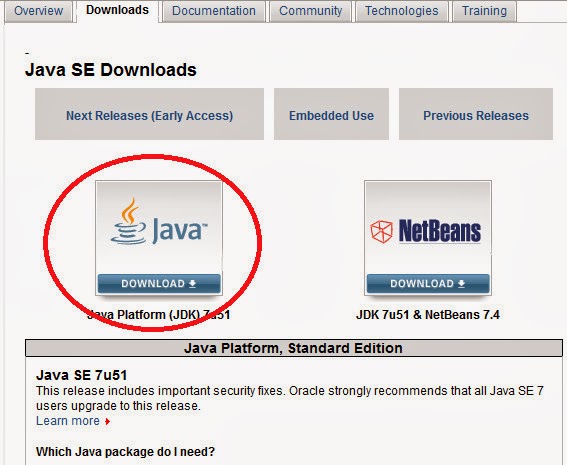
အဲဒီ SDK ကို Install မလုပ္ရေသးဘူးဆိုရင္ေတာ့ ဒီေနရာ ကို သြားလိုက္ပါ
ေအာက္ကပံုအတိုင္း ပြင့္လာပါမယ္
Java Download ဆိုတဲ့ေနရာကို ႏွိပ္ပါ
ေအာက္ကပံုအတိုင္း ပြင့္လာပါမယ္
Accept Locense Agreement ေရွ႕မွာ အမွတ္ကေလး ထည့္ေပးၿပီး ေအာက္မွာ ကိုယ့္၀င္းဒီးအမ်ိဳးအစားကို လိုက္ၿပီး ေဒါင္းယူ Install လုပ္ရမွာျဖစ္ပါတယ္
ကဲ ... အဆင္ေျပၾကပါေစဗ်ာ
နည္းပညာလမ္းေၾကာင္းေပၚက သူငယ္ခ်င္းအားလံုးကို ေလးစားခင္မင္လွ်က္
ျမန္မာအမ္ပီသရီး apk

၁) သီခ်င္းေတြကို အမ်ဳိးအစားလိုက္ လြယ္ကူစြာ ရွာေဖြႏိုင္ျခင္း (ေပါ့၊ ေရာ့ခ္၊ ျမန္မာသံစဥ္၊ ဟစ္ေဟာ့၊ တီးလံုး၊ ေရဒီယို ဇတ္လမ္းမ်ား)
၂) မိမိတို႕နားေထာင္ခဲ့တဲ့ သီခ်င္းေတြကို အပတ္စဥ္ သိမ္းဆည္းထားေသာ သီခ်င္း ဒုိင္ယာရီ စနစ္အသစ္
၃) သီခ်င္းေတြကို ပထမဦးဆံုး တစ္ခါ နားေထာင္ျပီးလွ်င္ ေနာင္အခါမ်ားမွာ မိုဘိုင္း အင္တာနက္ကို အသံုးမျပဳပဲ အလြယ္တကူ နားေထာင္ႏိုင္ျခင္း
၄) လတ္တေလာ နားေထာင္ထားေသာ သီခ်င္းမ်ား ႏွင့္ ဖုန္းေပၚတြင္ သိမ္းဆည္းထားေသာ သတင္းအခ်က္အလက္မ်ားကို လြယ္ကူစြာ ပယ္ဖ်က္ႏိုင္ျခင္း ႏွင့္
၅) အဆိုေတာ္မ်ားကို အမ်ဳိးသား၊ အမ်ဳိးသမီး ႏွင့္ အဖြဲ႕အလိုက္ လြယ္ကူစြာ ရွာေဖြႏိုင္ျခင္း တို႕ျဖစ္ပါတယ္။
ျမန္မာအမ္ပီသရီး Android App ကို မိုဘိုင္းဖုန္မ်ားေပၚမွာသာ အသံုးျပဳႏိုင္ရန္အတြက္သာ ရည္ရြယ္ျပီး ျပဳလုပ္ထားတာျဖစ္တဲ့အတြက္ Tablet မ်ားေပၚမွာ အသံုးျပဳမယ္ဆိုရင္ေတာ့ ေလာေလာဆယ္မွာေတာ့ အဆင္ေျပမွာ မဟုတ္ပါဘူး။ ျမန္မာအမ္ပီသရီး App ကို Android ဗားရွင္း 4 ႏွင့္အထက္ ဖုန္မ်ားမွာပဲ အသံုးျပဳႏိုင္မွာျဖစ္ျပီး ျမန္မာလိုေျပာင္းရန္အတြက္ ဗားရွင္း 4.3 လိုအပ္ပါတယ္။ ဒီဗားရွင္း အသစ္မွာ ယခင္ကလိုအပ္ခ်က္မ်ားကို စုစည္းျပီး ျပဳျပင္မႈမ်ား ေဆာင္ရြက္ထားေသာ္လည္း စမ္းသပ္ကာလျဖစ္တဲ့ အတြက္ အခက္အခဲမ်ားကေတာ့ ရွိေနအံုးမွာ ျဖစ္ပါတယ္။ ၾကံဳေတြ႕လာတဲ့ မေျပလည္မႈမ်ားကို တတ္အားသ၍ ေက်းဇူးျပဳျပီး ယခု ေဖ့စ္ဘြတ္ (သို႕) ျမန္မာအမ္ပီသရီး ဝက္ဆိုက္မွတဆင့္ ေပးပို႕ကူညီေပးႏိုင္ပါတယ္။
Viber မွာ ျမန္မာစာေပၚေအာင္ လုပ္နည္းႏွင့္ ေဆာ့ဝဲလ္မ်ား Update မတက္ေအာင္ ပိတ္နည္း (Android Phone and Tablet Only)
flyman.fm814@gmail.com: VIBERမွာျမန္မာစာဘယ္လိုထည့္ရမလဲဆိုုတာရ်င္းျပေပးပါဆရာ
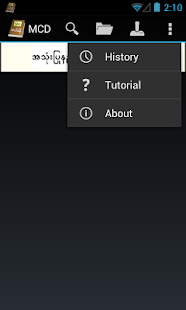
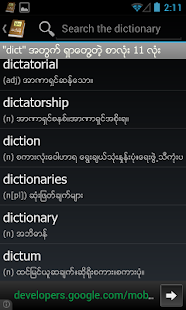
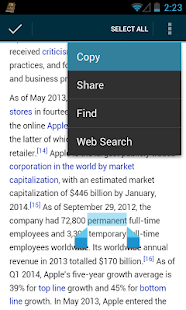
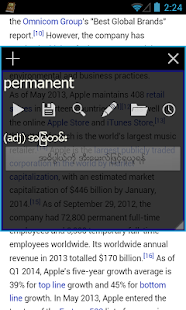
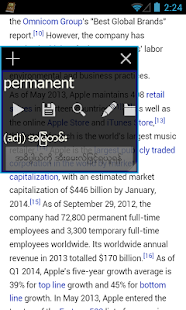
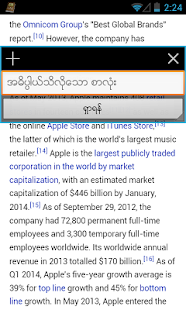
App Myanmar Clipboard Dictionary version 2015 APK
Recent changes "App Myanmar Clipboard Dictionary version 2015 APK"
v0.12+ စာလံုး အသစ္ ၅၀၀ ေက်ာ္ ထပ္တိုးထားတယ္။ ၃၃၀၀၀ ေက်ာ္ရွိသြားၿပီ; added 500 new definitions
+ ပေဟဠိ အသစ္ ၇ခု ထဲ့ထားတယ္; added 7 more trivia
v0.11
+ စာလံုး အသစ္ ၂၀၀ ေက်ာ္ ထပ္တိုးထားတယ္
+ feature အသစ္ ပေဟ႒ိ သံုးခု ထဲ့ထားတယ္
v0.09
+ Tutorial
+ Popup ေတြကို ခ်ံဳ႕ ခ်ဲ့လို႔ ရၿပီ ေရႊ႕လို႔ရၿပီ
+ အဓိပၸါယ္ ဖြင့္ဆိုခ်က္ထဲက ျမန္မာစာကို ရွာလို႔ ရၿပီ တနည္းအားျဖင့္ ျမန္မာ-အဂၤလိပ္ အဘိဓါန္ ျဖစ္သြားတာေပါ့။
Screenshots
DOWNLOAD FREE


Myanmar Kyat Converter